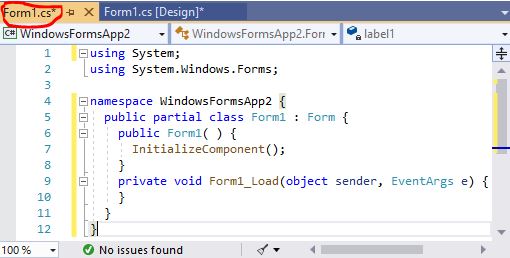
- Double click on , the Code Editor for as shown below will appear.
The top of the Code Editor consists of a list of objects such as and their associated events or procedures such as .


- Enter the following two commands in the method :
- In order to display the output of the program, you have to add the statement.
- The command displays the output on the label.
 using System;
 using System.Windows.Forms;

 namespace WindowsFormsApp2 {
   public partial class Form1 : Form {
     public Form1( ) { InitializeComponent( ); }

     private void Form1_Load( object sender, EventArgs e ) {
       this.Show( );
       label1.Text = "Welcome to C#!";
     }
   }
 }
where the methodInitializeComponentloads the compiled page of a component. Just leave it there.