This page is based on Install SQL Server.
- Check the SQL Server DBMS Help Pages.
- Download and install SQL Server Express. SQL Server Express is the free edition, ideal for development and production for desktop, web, and small server applications.
- Connection string:
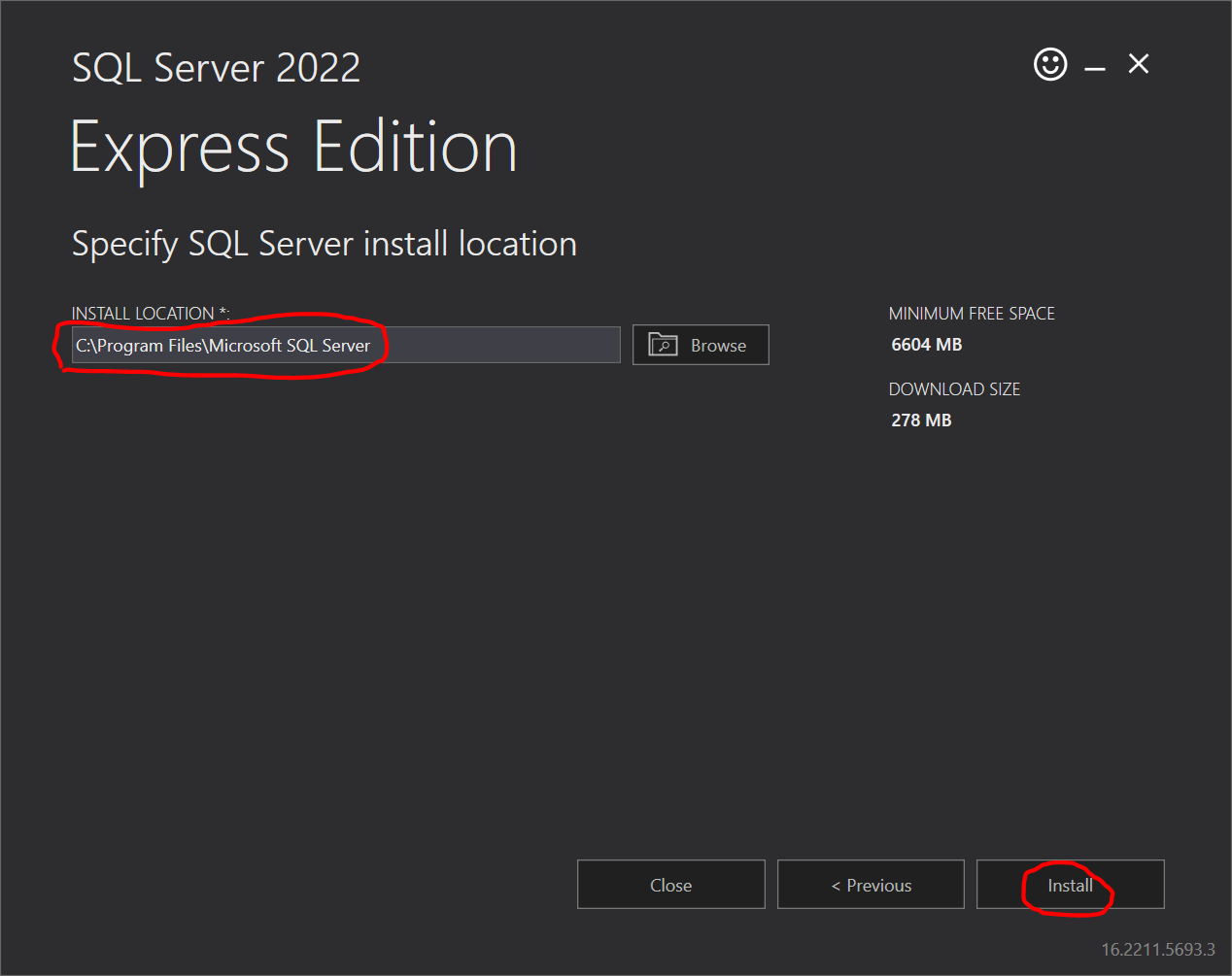
(for example) - SQL Server install folder: (for example)
- SQL Administrators: (for example)
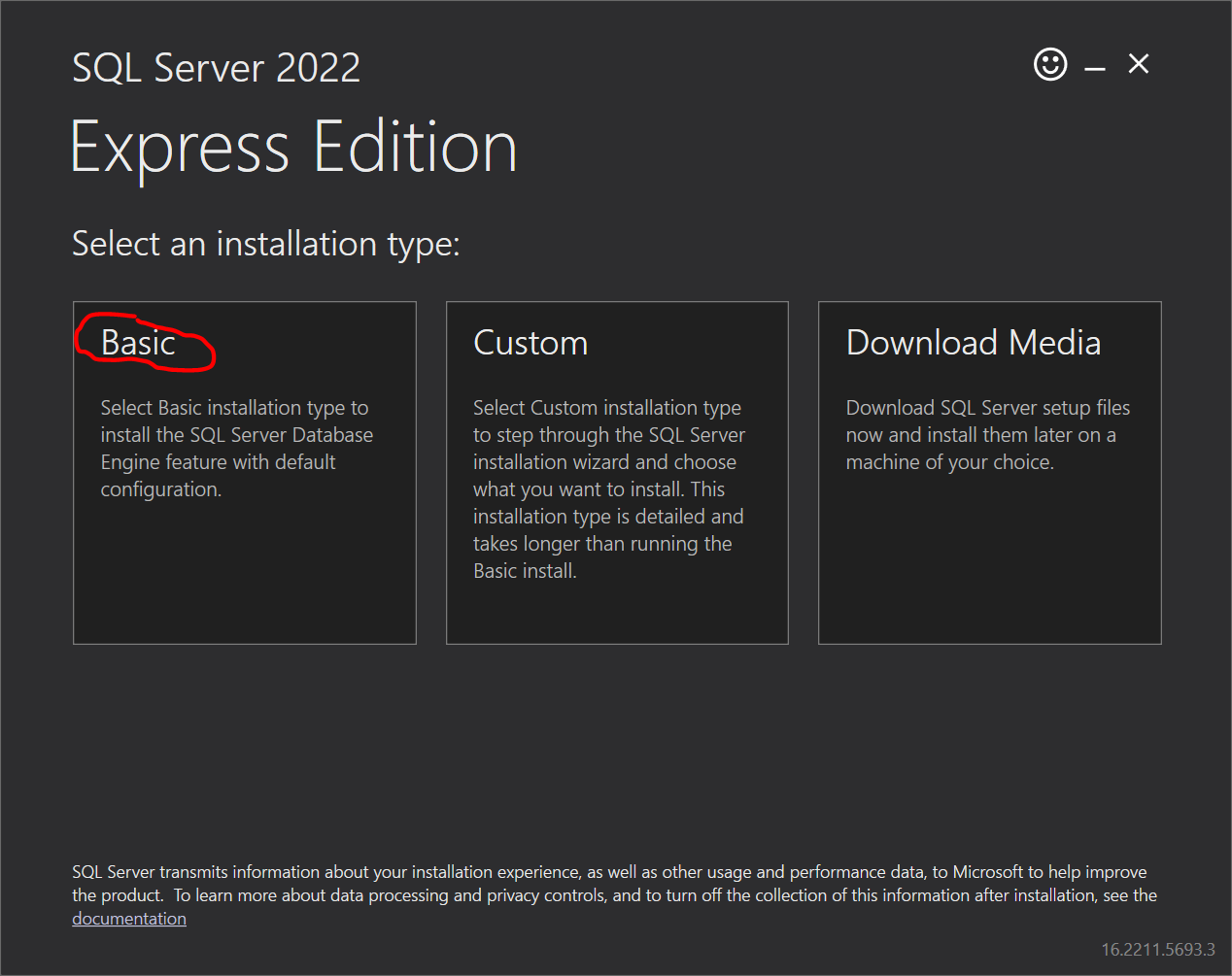
- Start the configuration. After installation, start the configuration by pushing the button :
- (May not be needed) Push the button :
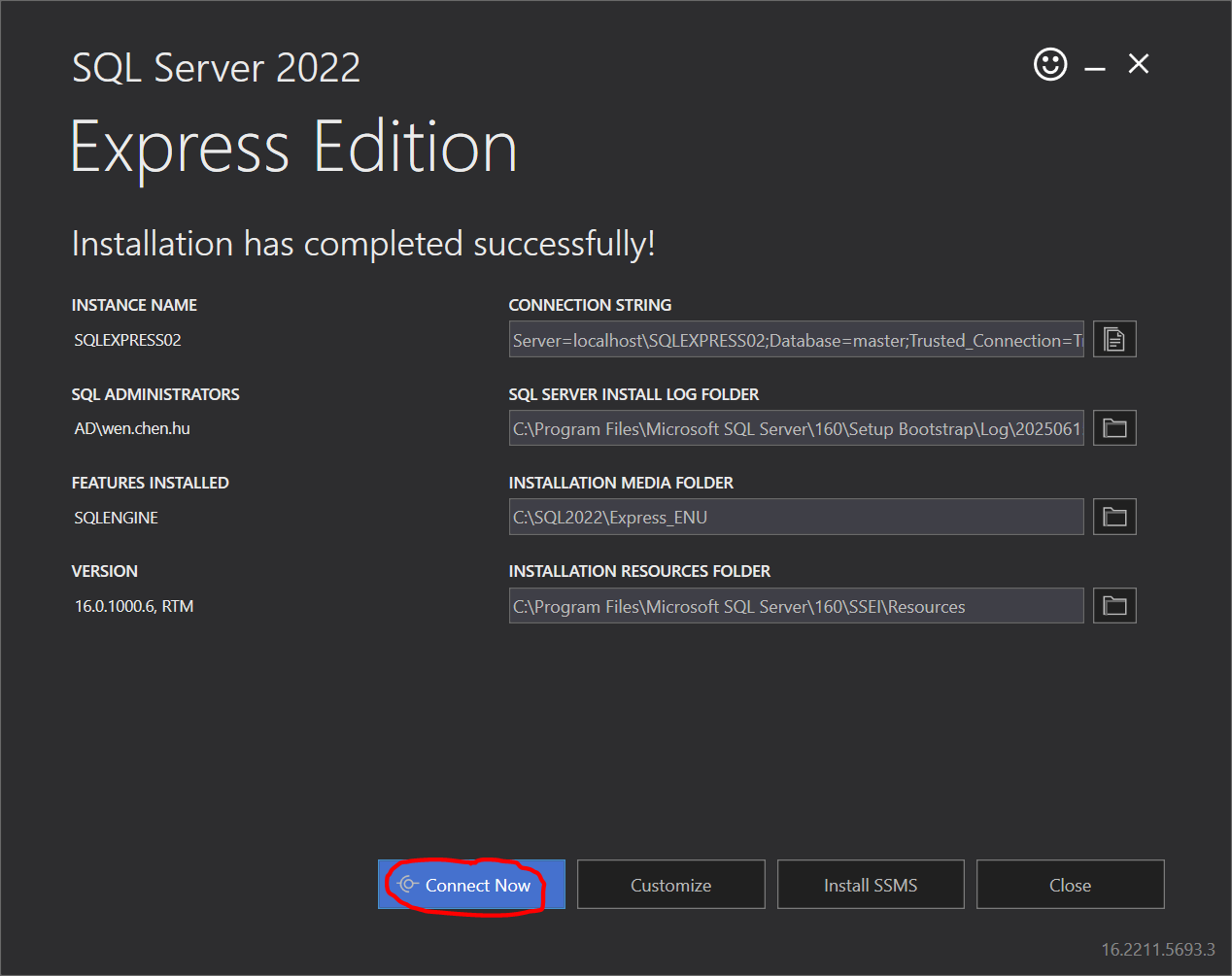
🡇Connect Now
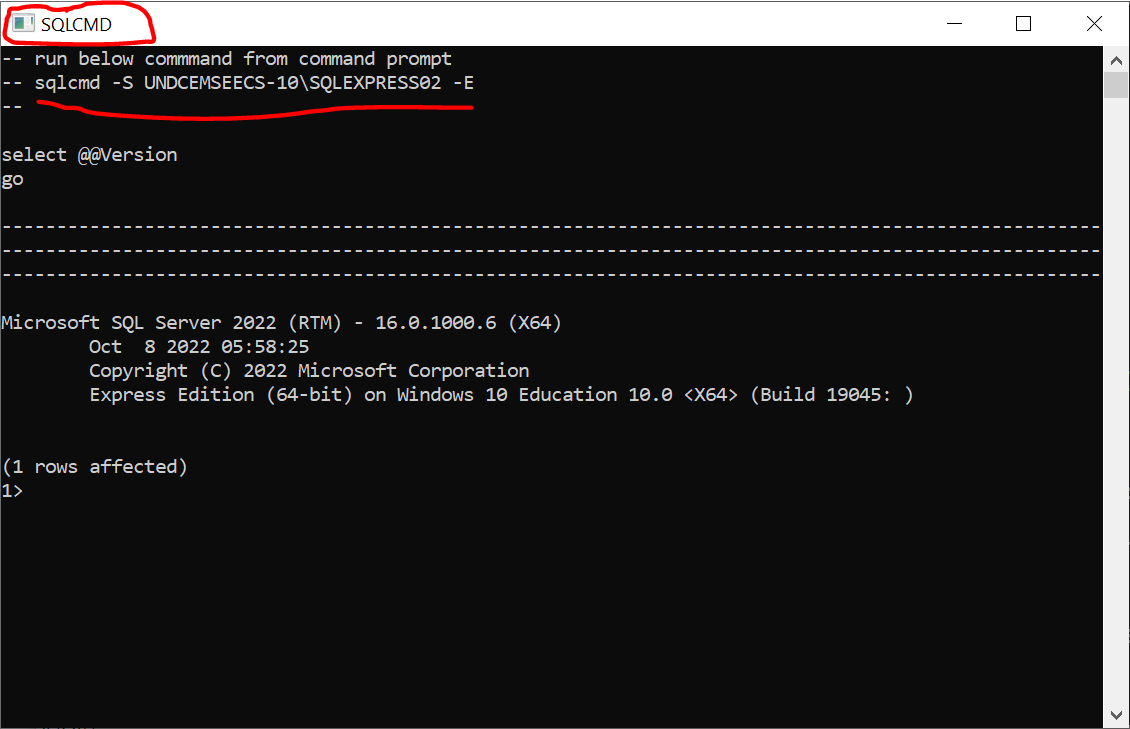
The prompt lets you enter Transact-SQL statements to manage SQL Server instances and performing various database operations. The command list can be found at sqlcmd utility. - (Required) Push the button :
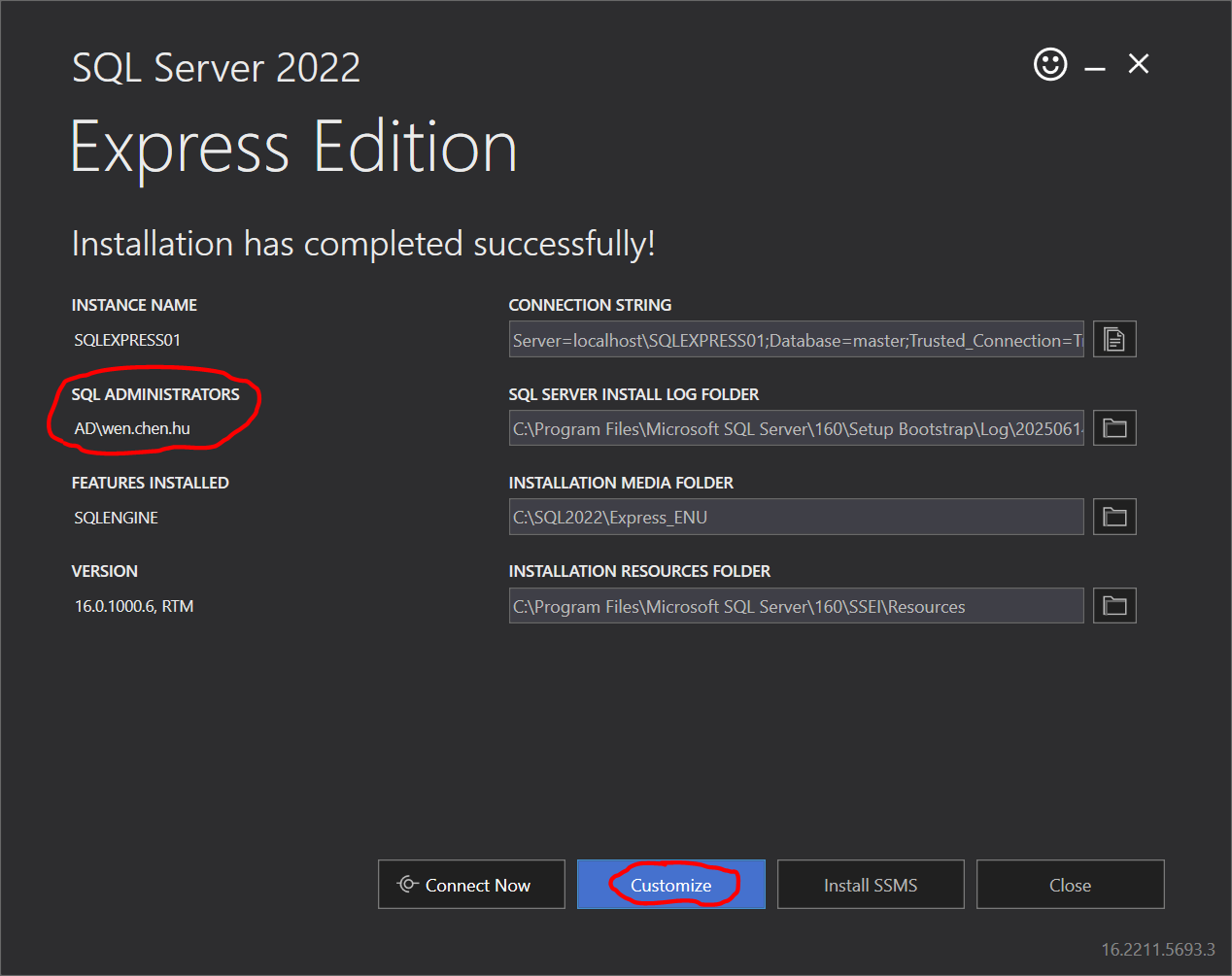
🡇Customize
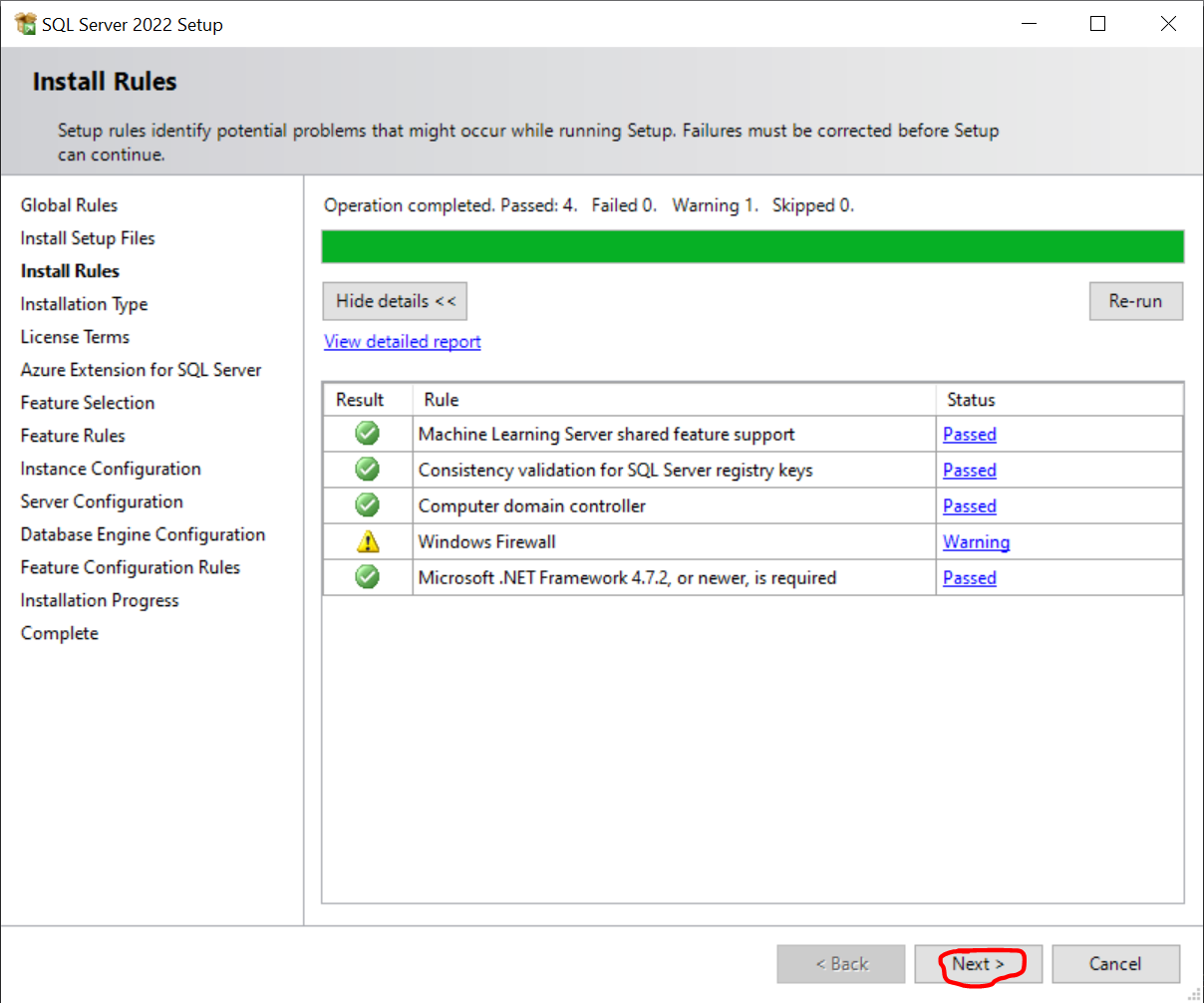
🡇Next
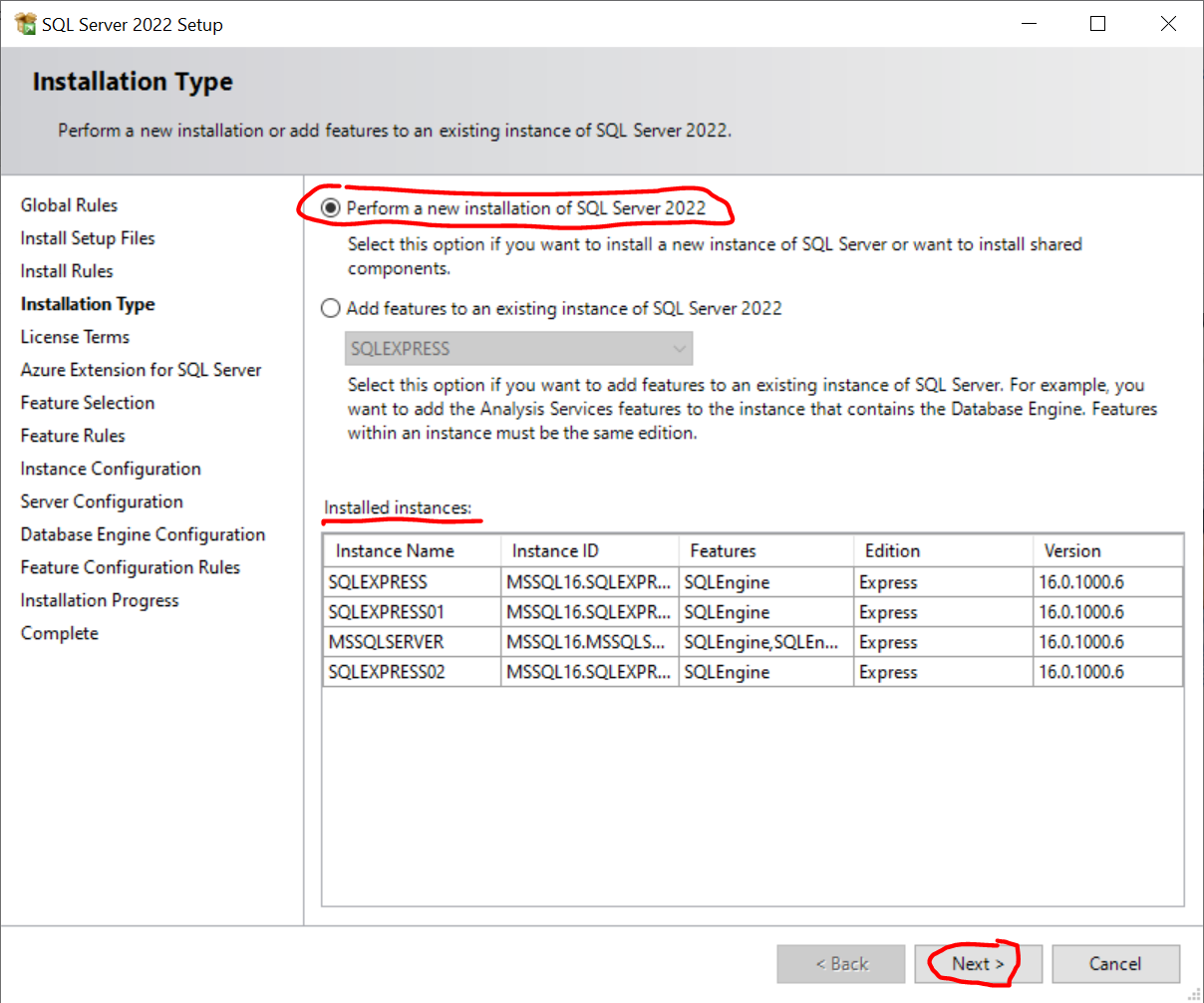
🡇Next
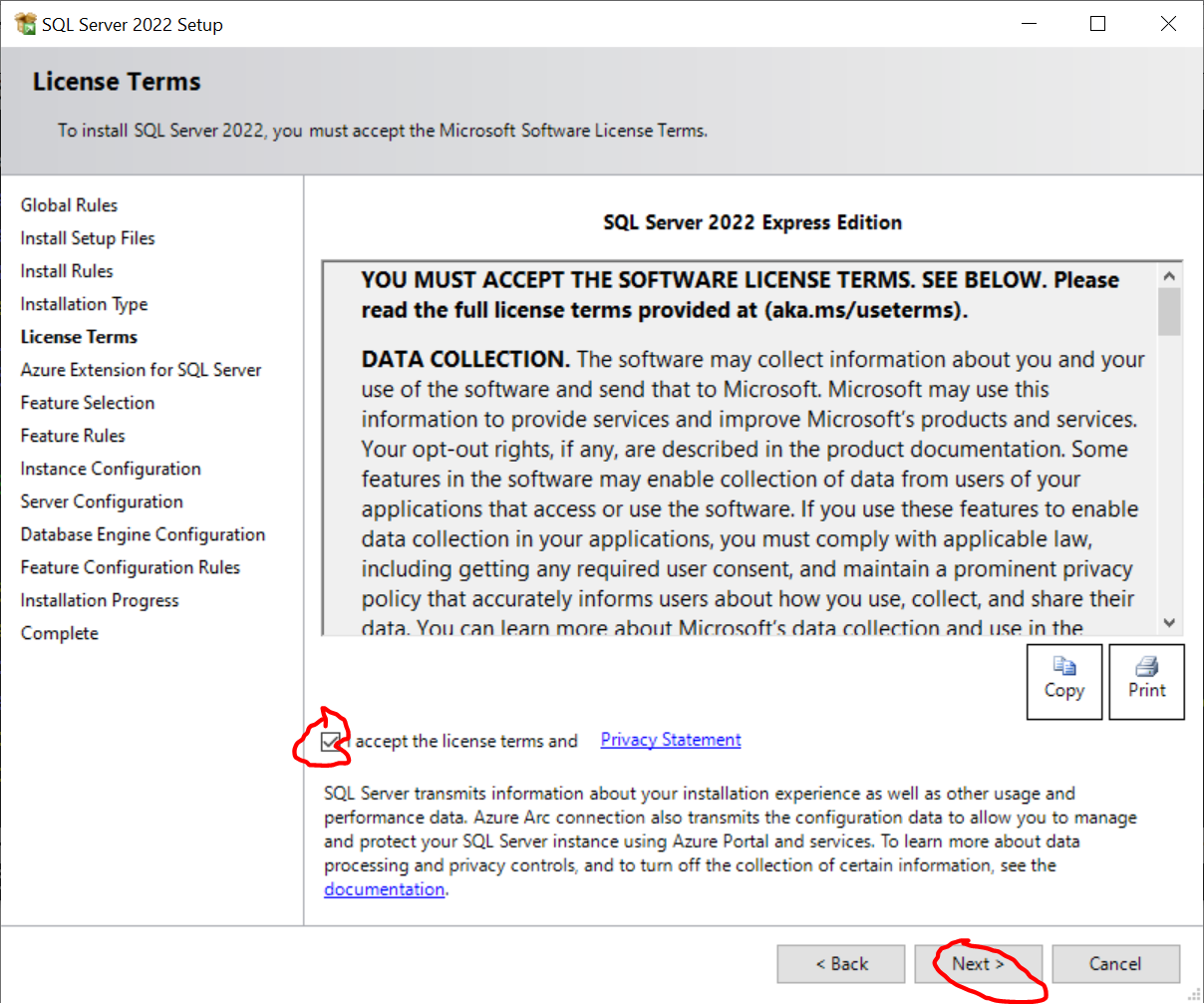
🡇Accepting and pushing Next

🡇Unchecking all & Next
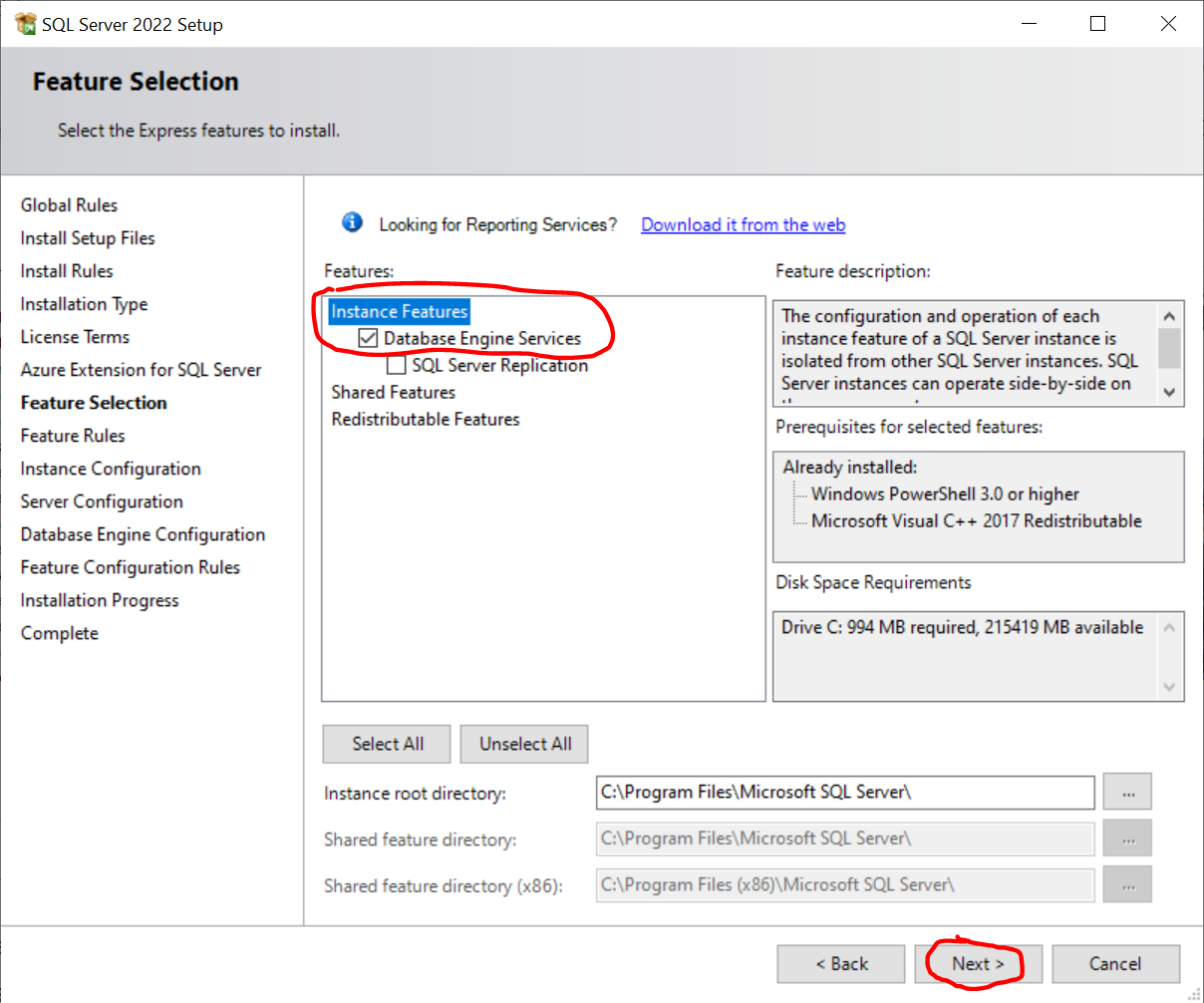
🡇Next
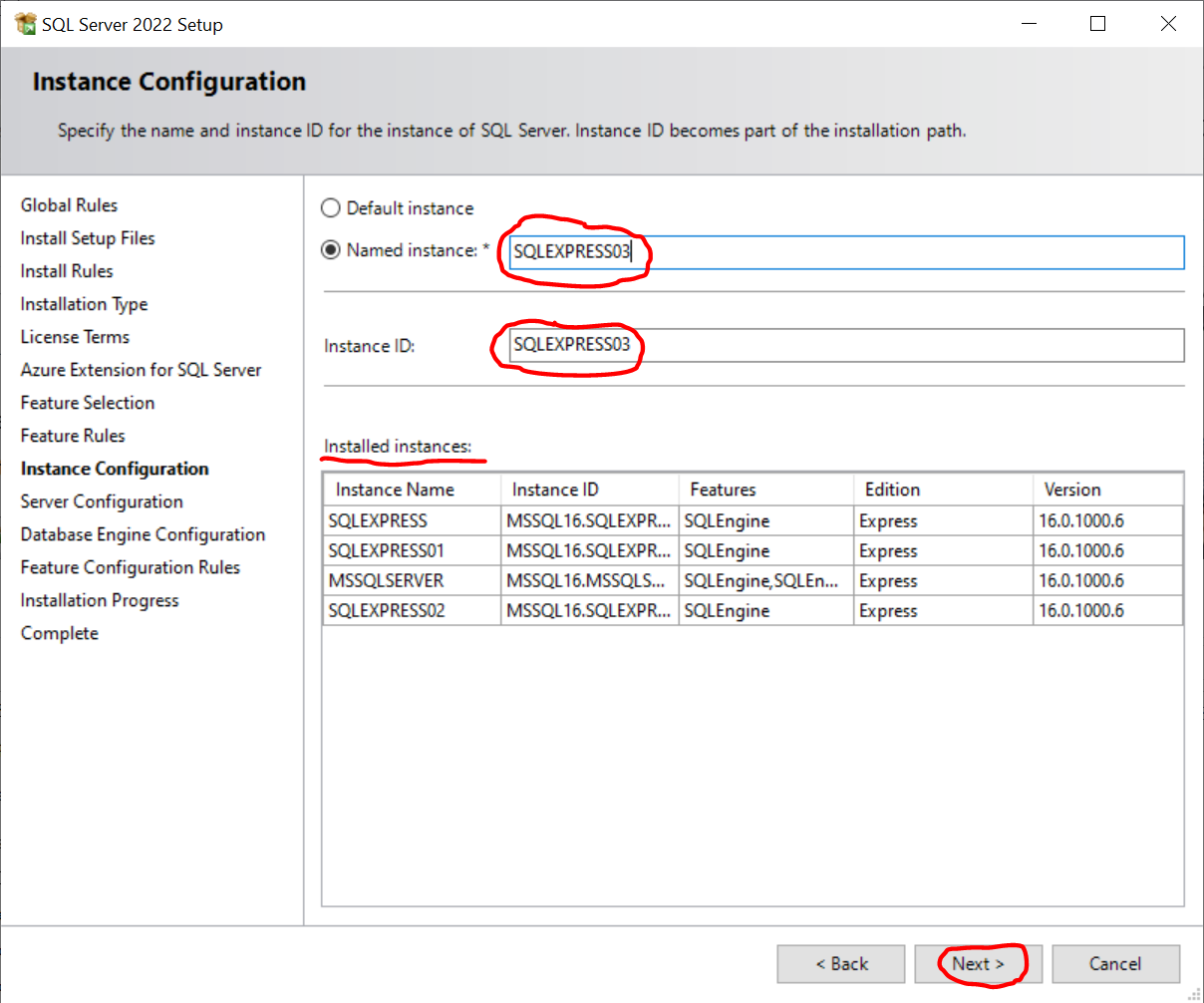
🡇Creating another database instance like SQLEXPRESS03 & pushing Next
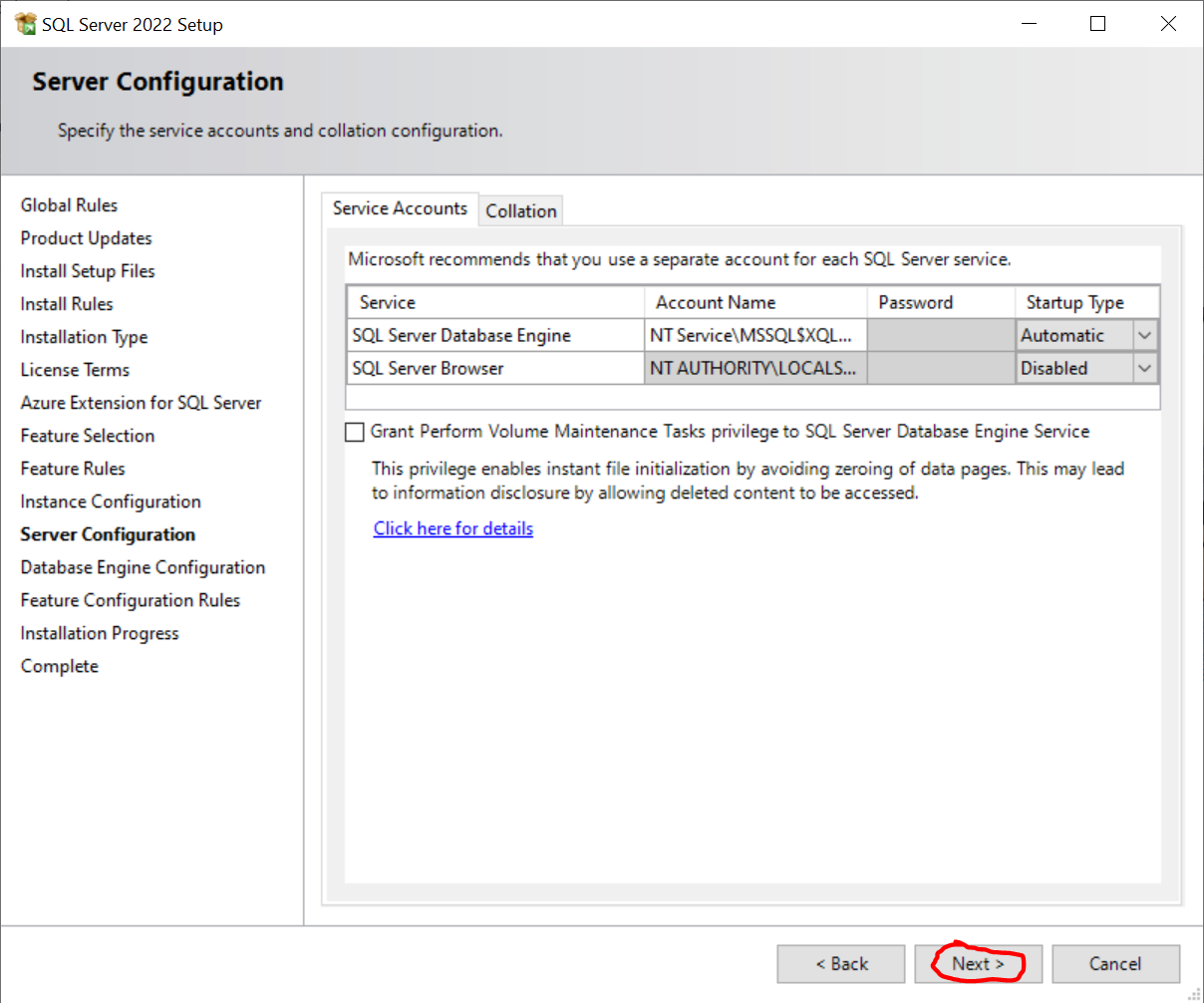
🡇Next
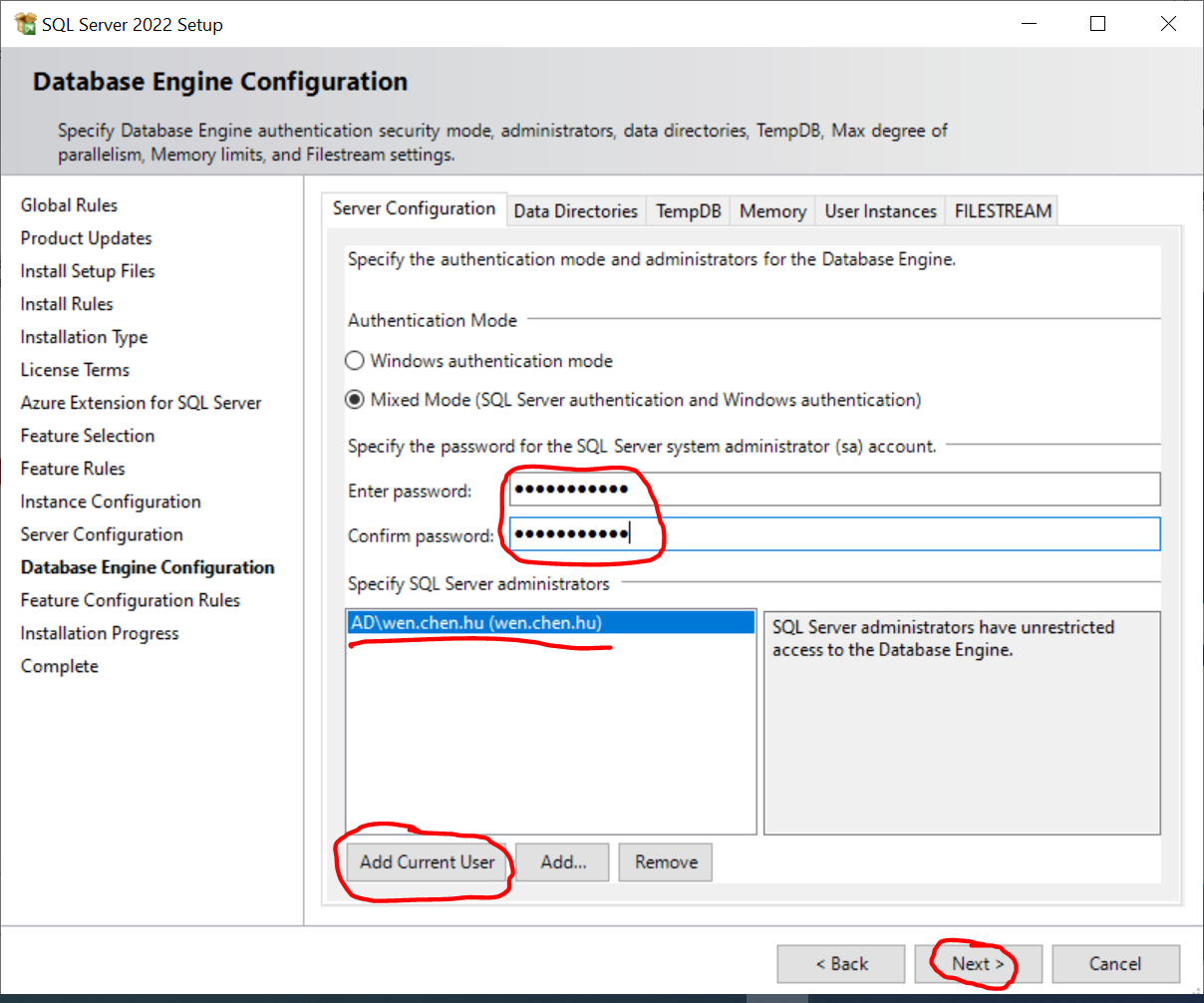
🡇Creating password for sa (system administrator) & pushing Next
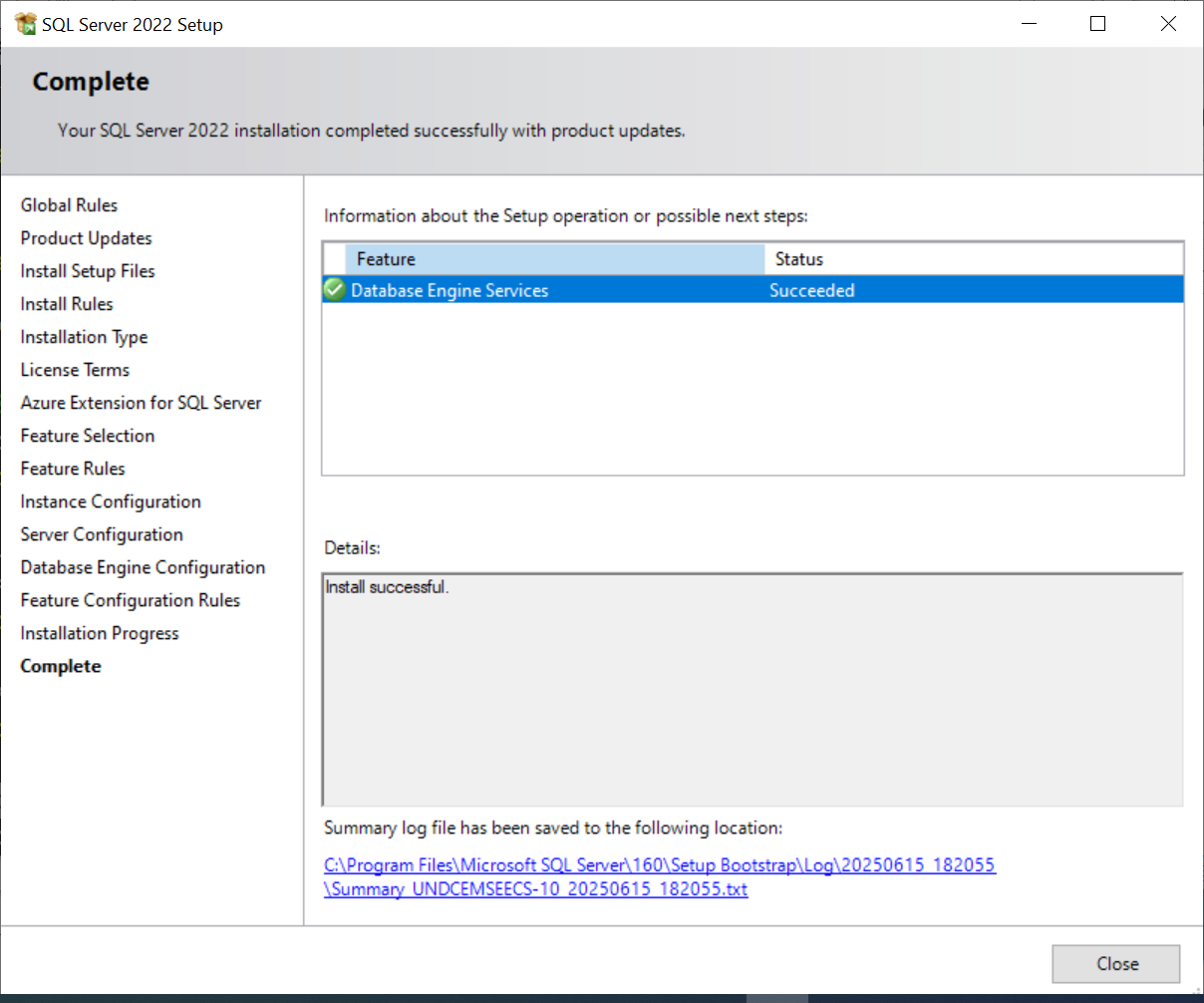
|
“One of my biggest fears is that I’ll marry into a family that runs 5Ks on holidays.” — @xnatata |